Environments
- Microsoft Azure
- Microsoft Entra ID
- Microsoft 365 (Exchange Online, SharePoint, Teams, Intune)
- AWS
- Azure AI Foundry
- Copilot Studio agents
 ARGOSCloud Security
Map customer environments, uncover real attack paths and generate client-ready reports automatically.
01 Workflow
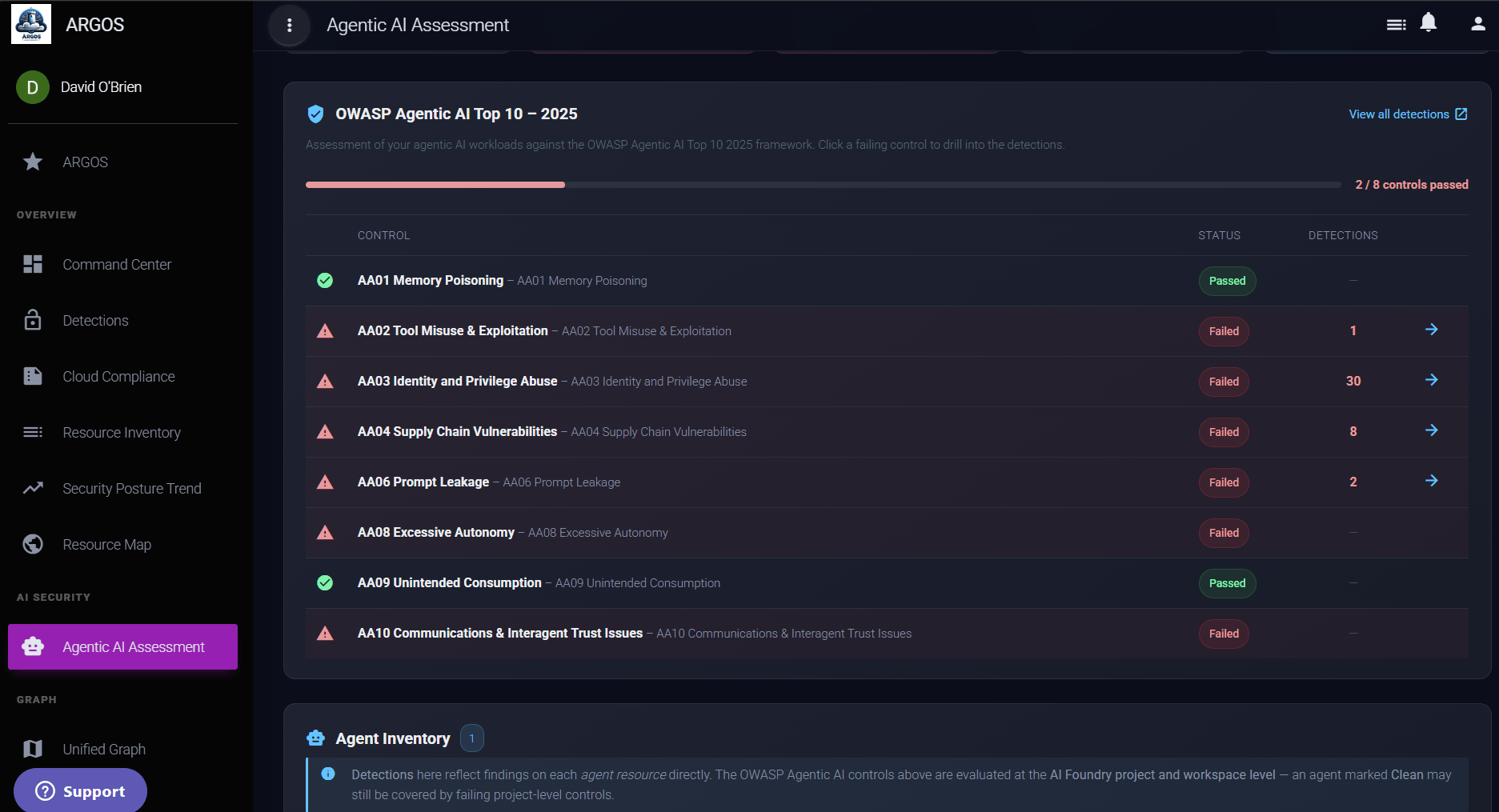
ARGOS brings cloud inventory, risk analysis, attack paths, diagrams and reporting into one repeatable assessment workflow.
Agentless access to the customer environment.
Inventory, configuration, identity risk and reachability in one pass.
Attack paths and architecture diagrams, generated from what was found.
An editable, customer-ready deliverable.
No agents. No spreadsheets. No days spent assembling customer deliverables manually.
02 Depth
ARGOS assesses more than individual misconfigurations. It analyses identities, permissions, applications, exposure and relationships across the environment to identify risks that only become visible when the pieces are connected.
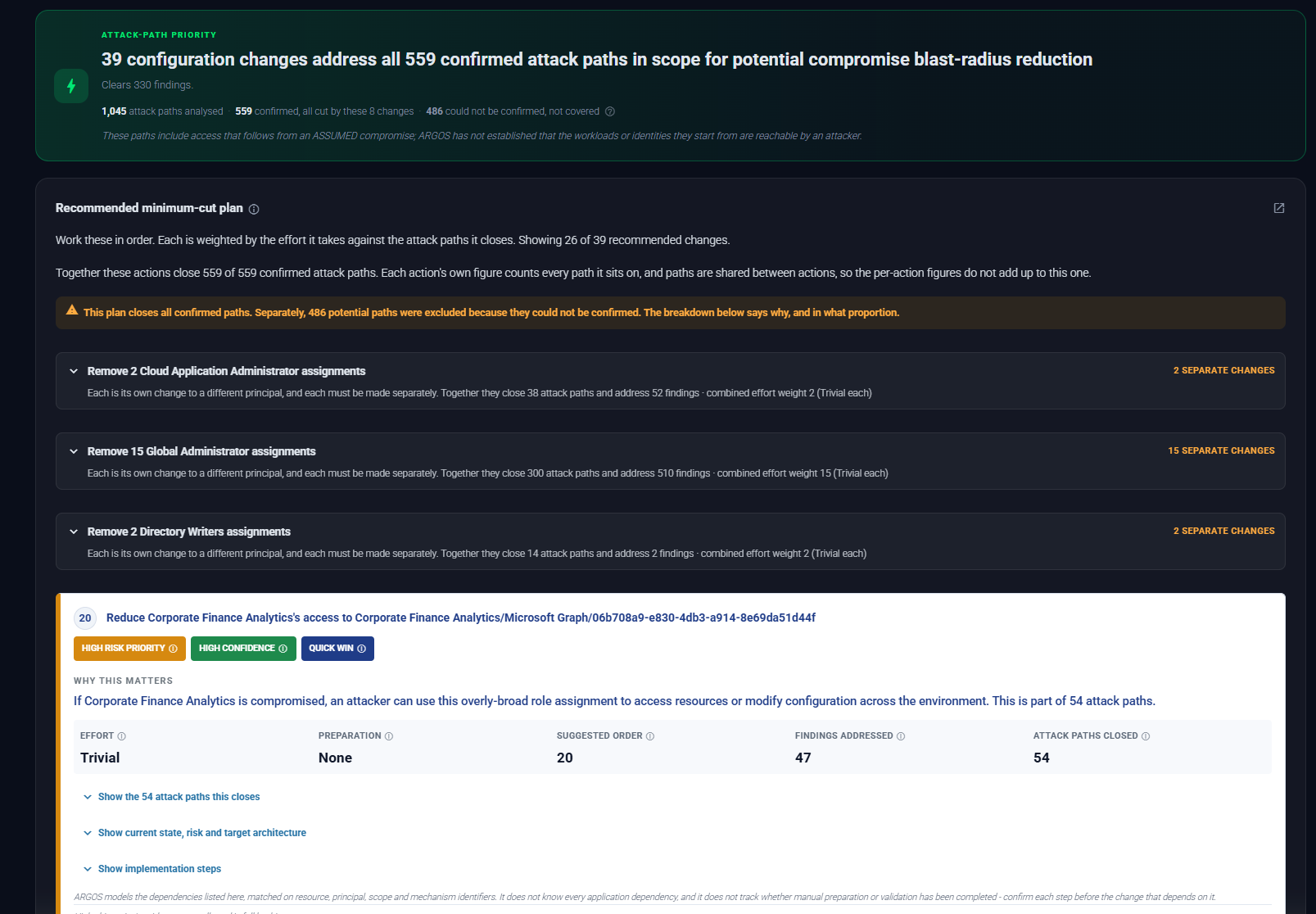
Every attack path carries its evidence. ARGOS records why each step holds, and marks a path confirmed only when every step is proven.
03 Attack paths
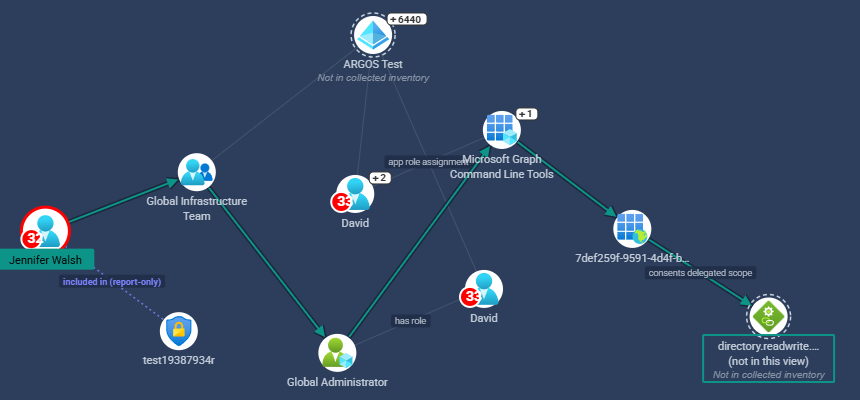
Understand how an attacker could move through the environment, what they could reach and which control would break the path.
ARGOS actively tests reachability of supported Azure services and analyses the full network path for AWS EC2, helping distinguish theoretical exposure from resources that are actually accessible. It also shows which single control would break the most paths.
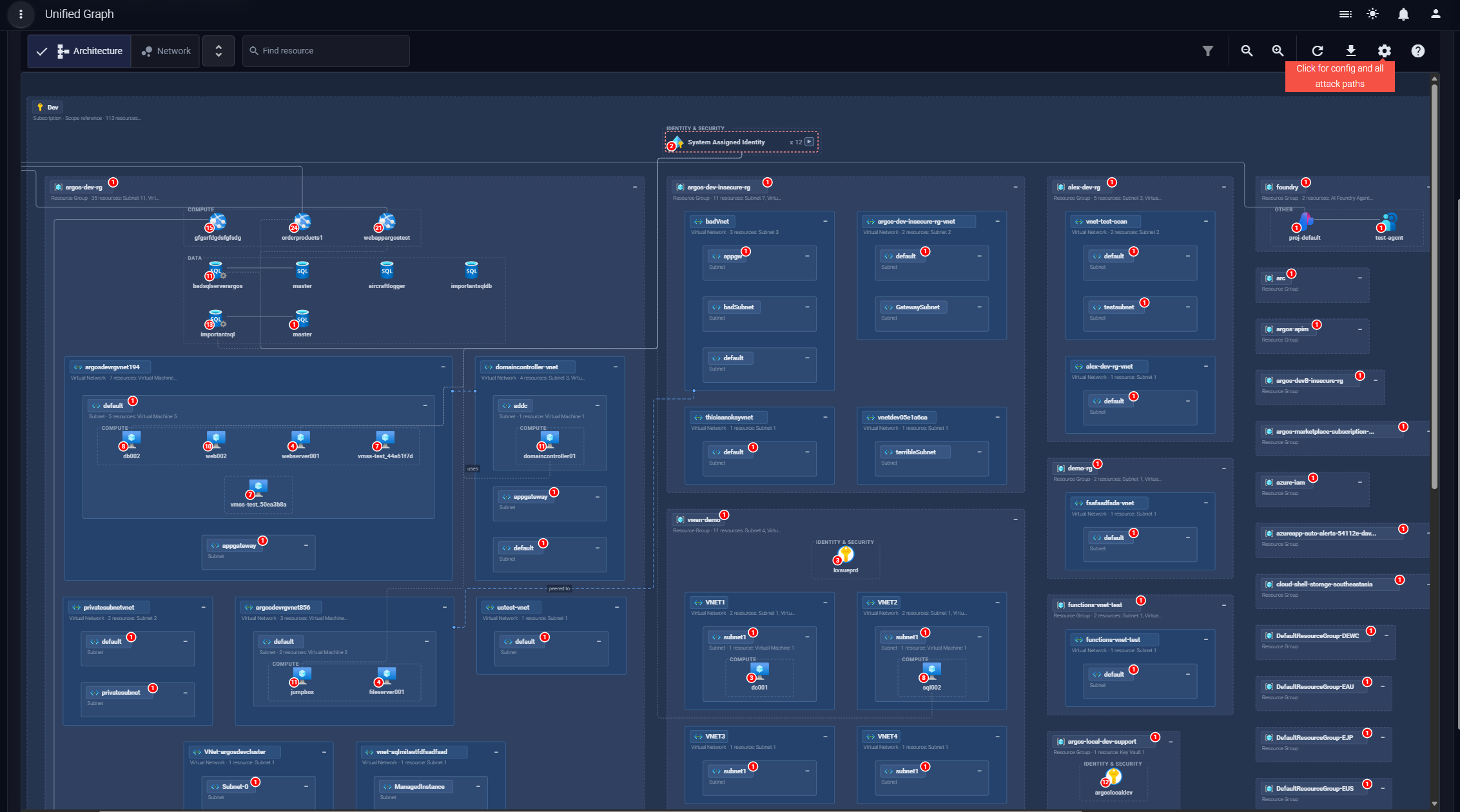
04 Diagrams
Turn discovered resources and relationships into clear cloud architecture diagrams. In ARGOS this is the Architecture view, a generated diagram of the assessed environment. Use them in technical reviews, customer workshops, remediation planning and assessment reports without recreating the environment manually.
05 The deliverable
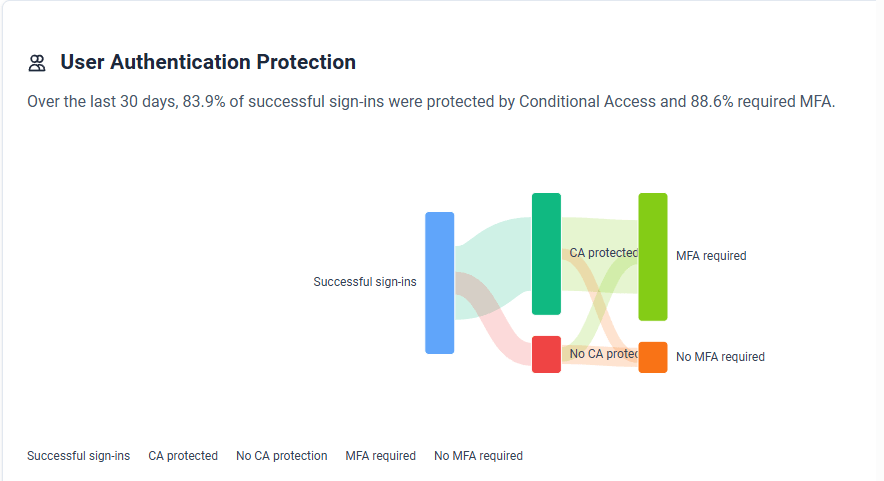
ARGOS produces a customer-focused assessment report, downloaded from the dashboard and designed for customer delivery. Reports include:
06 Where it fits
ARGOS helps MSPs, MSSPs and consultancies standardise how they assess new and existing customer environments. Use it for:
Manage multiple customer assessments and deliver a consistent, professional output every time.
07 Coverage
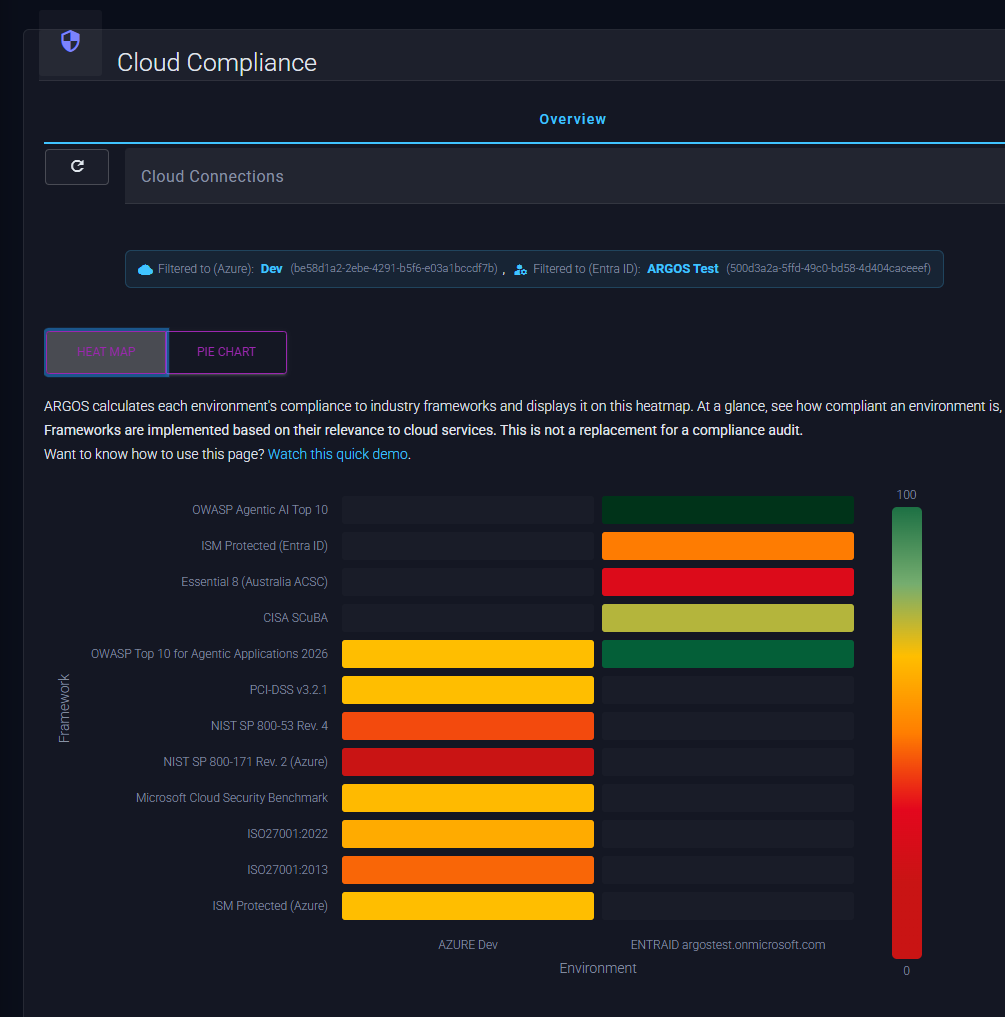
Assess the Microsoft and AWS estate, and map what is found to the frameworks your customers are audited against.
Map findings to ISO 27001, NIST SP 800-53 and 800-171, PCI DSS, Microsoft Cloud Security Benchmark, Australian ISM and Essential Eight, CISA SCuBA, AWS Foundational Security Best Practices, the OWASP Top 10 for Agentic Applications, and MITRE ATT&CK techniques.
ARGOS runs no agents in the customer environment. It reads configuration through read-only management-plane APIs and never reads data-plane content: it does not open files or blobs, query databases or read object contents. It makes no change to a customer cloud.
08 Scope
Not every customer needs every rule, and not every resource matters equally. ARGOS lets you set both before the scan runs and act on the result afterwards.
Choose which rules a scan runs for each connection: a built-in set per framework, attack paths only, or a set you define. With no selection, every ARGOS rule runs.
You name the resources that matter most, separately from the high-value targets ARGOS infers, and findings that reach them are prioritised.
One review for each control that would break real attack paths, with approvers, expiry and history, and change detection between scans. A remediation becomes a recorded decision rather than a ticket.
09 Evidence
ARGOS assisted to detect and decommission an unused Azure FTP resource that was highly vulnerable and present in our environment for quite a while.
Twenty-two exploitable and High-Risk vulnerabilities have been mitigated in just two days.
Review a sanitised assessment report with executive findings, attack paths, diagrams and technical remediation guidance.